Product Details
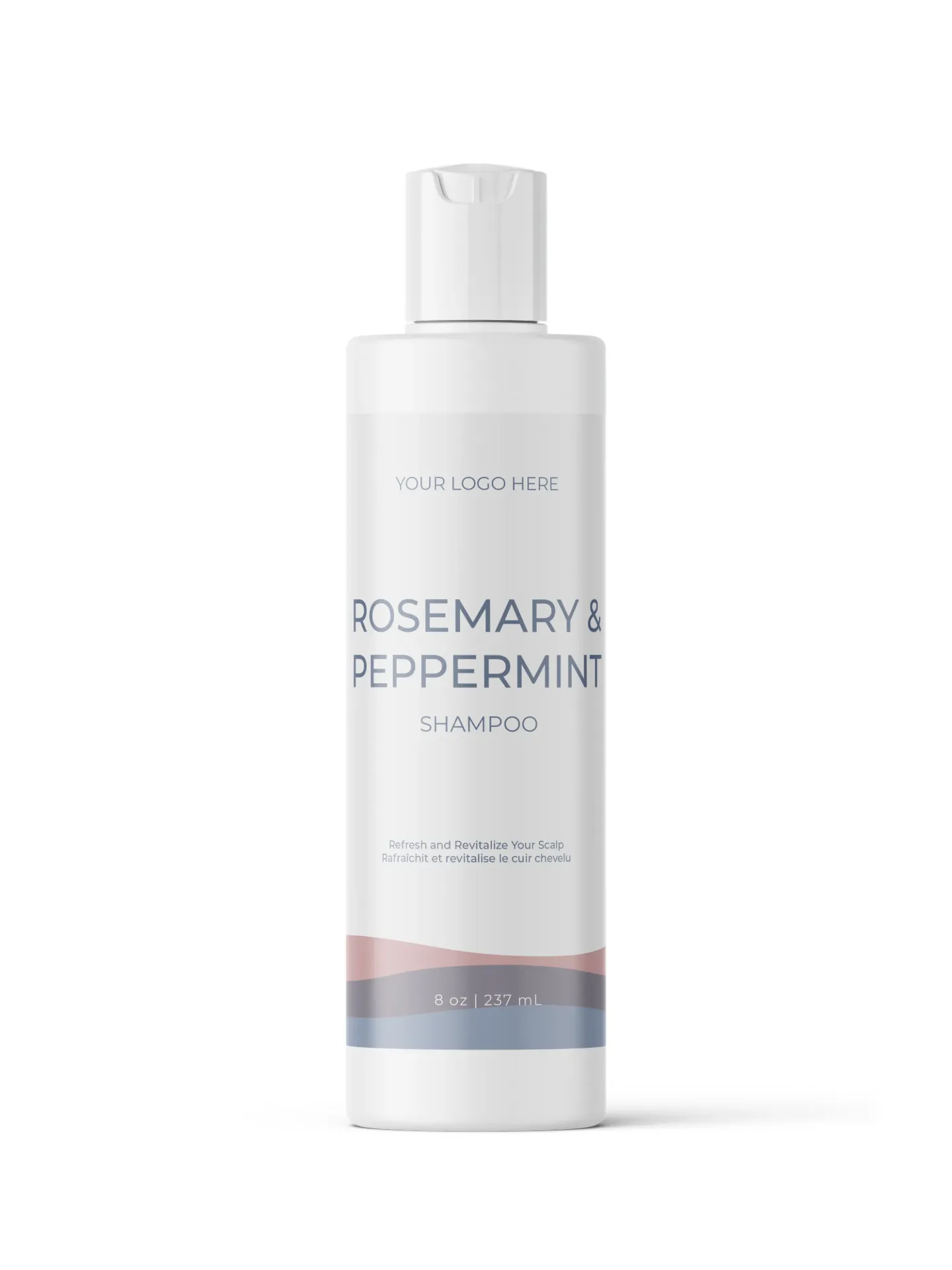
Net Weight: 8 oz | 237 mL
MOQ Start with as few as 12 units.
Professional cosmetic manufacturing designed to grow with your brand.
RECOMMENDED ORDER TIERS
12–25 Units- Ideal for salons, spas & independent retailers selling directly to customers.
26–149 Units- Ideal for established brands, multi-location salons, spas & retail boutiques.
150+ Units- Designed for wholesale growth & larger retail accounts.
300+ Units- Suited for Smaller distributors, high-volume retail & large-scale expansion like amazon.
2000+ Units- Suited for National distributors, high-volume retail & large-scale expansion.
Standard Packaging Info
BOTTLE
Sku:
Bottle Material:
CLOSURE
Type:
Colour: White or Black
Upgrade Closure Colour: Matte Silver, Gold
LABEL SPECIFICATION
Material: CMYK Printed BOPP (Biaxially Oriented Polypropylene) is a durable, water- and oil-resistant label material ideal for cosmetic packaging, offering excellent moisture resistance, strong adhesion, and a professional finish that holds up well in bathrooms, showes, salons & spa environments.
Lamination: High Gloss or Matte finish
Upgrade Label or Direct Bottle Screen Printing:
Foil Label: MOQ 250 Labels
Screen Printing: MOQ 500 Units
Foil Stamp Printing: MOQ 500 Units
Maximum Recommended Trim Size: 6.25 x 4 (w x h)
Directions for Use
Net Weight: 8 oz | 237 mL
MOQ Start with as few as 12 units.
Professional cosmetic manufacturing designed to grow with your brand.
RECOMMENDED ORDER TIERS
12–25 Units- Ideal for salons, spas & independent retailers selling directly to customers.
25–150 Units- Ideal for established brands, multi-location salons, spas & retail boutiques.
300+ Units- Designed for wholesale growth & larger retail accounts.
1000+ Units- Suited for Smaller distributors, high-volume retail & large-scale expansion like amazon.
2000+ Units- Suited for National distributors, high-volume retail & large-scale expansion.
The "Hero" Ingredient(s)
Science Behind this Formula
Product Technical Info
pH:
Appearance:
Colour:
Odour:
Product Type:
Recommended Use:
Shelf Life:
Storage:
*Based On Proper Storage
INCI/ Ingredient Deck
*INCI Revised Date
Compliance & Regulatory
Certifications / Compliance
- Health Canada Cosmetic Notification Required
- USA - MoCRA - Compliant (see exemption)
- EU Compliant
Manufactured in Accordance with Cosmetic GMP Guidelines
Our products are manufactured following Good Manufacturing Practices (GMP) and manufacturing procedures aligned with ISO 22716:2007 — Cosmetics: Good Manufacturing Practices (GMP).
ISO 22716:2007 provides internationally recognized guidelines for the production, control, storage and shipment of cosmetic products. Cosmetic Labs Canada follows these principles as part of our commitment to product quality, consistency, traceability and responsible manufacturing.
Label Claims
*CLAIM DISCLAIMER: The claims listed above have been reviewed and approved by Cosmetic Labs Canada (CLC) for use with this product. Any additional, modified, or expanded claims made by the client, brand, retailer, or company have not been reviewed or approved by CLC. The brand is solely responsible for ensuring that any claims it adds to its product labels, packaging, advertising, website, social media, or other marketing materials comply with all applicable regulatory requirements. CLC assumes no responsibility for claims made, modified, or suggested by the brand without prior written approval from CLC.
Safety & Label Cautions
No Safety Information is mandatory
Recommended Safety:
CAUTION: For external use only. Avoid contact with eyes. Discontinue use if irritation occurs. Consult a healthcare practitioner if irritation persists.